Are you confused about self-canonical tags? You’re not alone! Many webmasters struggle with this essential SEO tool. In this blog post, I’ll explain what self-canonical tags are and why they matter. You’ll learn when to use them effectively, how to implement them on your website, and common pitfalls to avoid. By the end, you’ll feel confident in optimizing your site’s content to improve search visibility.
Table of Contents
What is a self-canonical tag?
Self-canonical tags are used in SEO to indicate the preferred or “canonical” version of a webpage when that page has duplicate or similar content. By placing a self-canonical tag on a page, you’re telling search engines that this specific URL is the one that should be indexed, even if other versions of the page exist (e.g., dynamic URLs, tracking parameters).
This helps you avoid issues with duplicate content and ensures the correct page gets the SEO credit and rankings. Using self-canonical tags is a smart SEO strategy, especially when you’re dealing with multiple URLs that might point to the same content.
When to use self-canonical tags
#1. Duplicate content prevention
Duplicate content occurs when identical or similar content is accessible through multiple URLs. This can confuse search engines, making it unclear which page should be prioritized in SERP. Placing a self-canonical tag on a web page with multiple URL versions (such as those created by session IDs or tracking parameters) tells search engines which version is the main one.
Example:
If both of these URLs show the same content:
- https://www.example.com/product?id=123
- https://www.example.com/product
You should place a canonical tag on both pages pointing to https://www.example.com/product to make it clear that’s the preferred version.
#2. Dynamic URLs
Dynamic URLs are often created when users apply filters, perform searches, or use sorting options on a website. These URLs may lead to the same or similar content but with slight variations based on user input. To avoid indexation issues or duplicate content penalties, a self-canonical tag should point to the main URL.
Example:
A user might apply different filters on a product page, creating URLs like:
- https://www.example.com/product?color=blue
- https://www.example.com/product?size=large
The canonical tag should point to the base URL, such as https://www.example.com/product, which contains the original product page.
#3. Content syndication
Content syndication refers to the practice of distributing your content across other platforms or websites. While syndication helps you reach a broader audience, it creates the risk of duplicate content, as the same article may be published in multiple places. In this case, the original content on your website should have a self-canonical tag pointing to your URL and signaling that your site has the original version.
Example –> If you syndicate an article to another website, but the same article lives on your website, use a canonical tag on your version to tell search engines that the original content resides on your site.
#4. HTTPS and HTTP versions
If your site supports both protocols, HTTP and HTTPS, search engines might treat them as separate URLs, hence causing indexing issues. HTTPS is now preferred for security and SEO, so you should always set a self-canonical tag on your HTTPS version. This ensures search engines prioritize the secure version.
Example –> Both http://www.example.com/page and https://www.example.com/page could be indexed separately, which leads to duplicate content. A self-canonical tag on the HTTPS page tells search engines to focus on the secure version.
#5. Trailing slashes and non-trailing slashes
Search engines treat URLs with and without trailing slashes (“/”) as different, which can result in duplicate content issues. A self-canonical tag helps avoid this by standardizing the preferred version.
Example:
These two URLs are treated differently:
- https://www.example.com/page/
- https://www.example.com/page
Using a self-canonical tag on both versions, pointing to https://www.example.com/page/, tells search engines which version to index and rank.
How to implement self-canonical tags
Insert the self-canonical tag in the < head > section of your webpage:
< link rel=”canonical” href=”https://example.com < ?php echo $_SERVER[‘REQUEST_URI’];? > ” >
Don’t forget to replace ‘example.com’ with your domain’s name and:
- Ensure that the URL in your canonical tag is consistent (use only HTTPS or only HTTP, with or without www).
- After implementing, use Google Search Console’s “URL Inspection” tool to verify that your self-canonical tags are set correctly.
WordPress implementation without a plugin:
Open your WordPress dashboard and navigate to Appearance → Theme File Editor → Theme Header (header.php). Place the code in the < head > section, after < head > and before < ?php wp_head(); ? > < / head >. Once done, click ‘Save changes’ or ‘Update file’.
Common mistakes to avoid
When implementing self-canonical tags, there are a few common mistakes that can actually harm your SEO instead of improving it. Let’s go into detail on some of these pitfalls and how to avoid them.
#1. Pointing all pages to the homepage
One of the biggest mistakes is using the same canonical tag across multiple pages, all pointing to the homepage. While this might seem like a way to concentrate SEO power, it actually confuses search engines and dilutes the value of individual pages.
Why is it a problem?
Every page on your site should serve a specific purpose and have its own unique value. By using a canonical tag that points every page back to the homepage, you prevent search engines from understanding the value of each page, which can hurt your overall rankings.
What is the solution?
Use self-canonical tags on each individual page to point to itself unless there’s a specific reason to consolidate the content. For instance, if you have different URLs serving the same content, use the canonical tag to point to the most relevant one – not the homepage.
Practical example:
Imagine you have an eCommerce site with product pages like these:
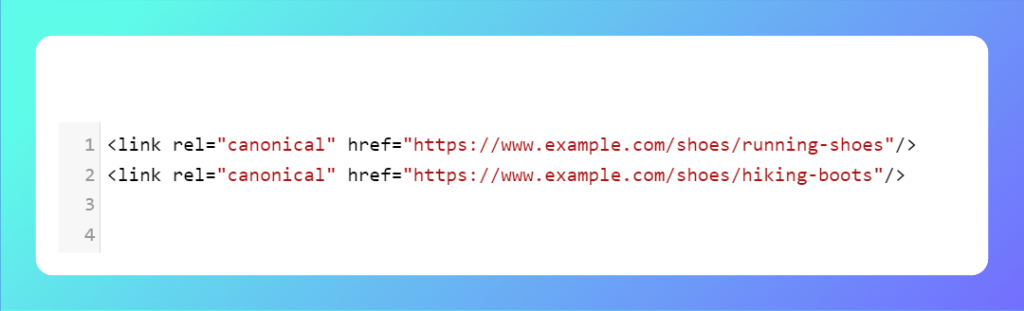
- https://www.example.com/shoes/running-shoes
- https://www.example.com/shoes/hiking-boots
Instead of setting a self-canonical tag on each product page, you mistakenly point the canonical tag on all product pages to the homepage: < link rel=”canonical” href=”https://www.example.com/” / >
As a result, search engines will prioritize your homepage and potentially ignore the individual product pages. Consequently, your product pages won’t rank in search results, significantly reducing their visibility.
Correct approach –> Each product page should have its own self-canonical tag.
#2. Canonical tags pointing to incorrect or non-existent pages
Another mistake is pointing the canonical tag to the wrong URL or, worse, to a page that no longer exists. This confuses search engines, leading them to waste their crawl budget on pages that aren’t helpful, potentially hurting your site’s overall indexing and ranking.
Why is it a problem?
If the canonical tag points to a broken or irrelevant page, search engines might ignore the correct page or de-index it entirely. This impacts how your content is ranked, as the authority and relevancy of the wrong page are being evaluated instead of the correct one.
What is the solution?
Double-check that your canonical tags always point to valid, relevant URLs that are live and serve the right content. Regularly audit your canonical tags using tools like Google Search Console or an SEO crawler to ensure there are no misconfigurations.
Practical example:
You accidentally point the canonical tag on a page to a URL that doesn’t exist anymore. Let’s say you change a URL from:
- Old URL: https://www.example.com/blog/best-running-shoes
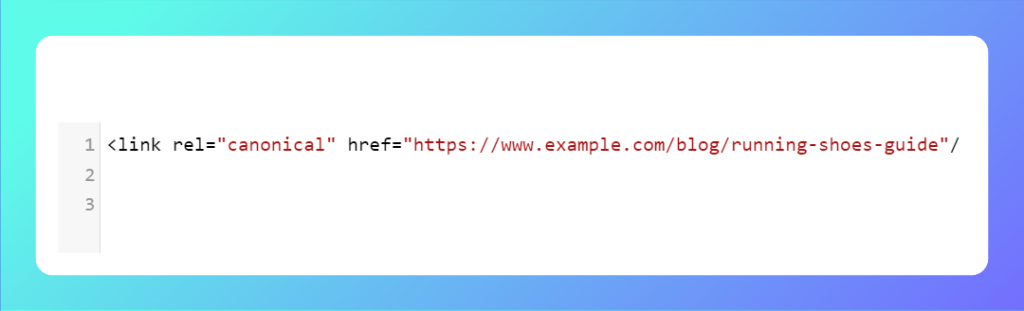
- New URL: https://www.example.com/blog/running-shoes-guide
But the canonical tag still points to the old (now non-existent) URL: < link rel=”canonical” href=”https://www.example.com/blog/best-running-shoes” / >
As a result, search engines will try to crawl the old, incorrect URL and may either de-index your new page or consider the old URL as a 404 error, hurting your SEO.
Correct approach –> Update the canonical tag so that it points to the correct URL.
#3. Using self-canonical tags on paginated content incorrectly
Paginated content (e.g., when you have multi-page articles or product categories spread across several pages) is often misconfigured with canonical tags that point back to the first page of the series. This may seem logical, but it causes issues with how search engines understand the relationship between these pages.
Why is it a problem?
If all pages in a paginated series (e.g., /page1, /page2, /page3) have canonical tags pointing to /page1, search engines may ignore the additional pages, leading to poor indexing. It could result in only the first page ranking and the others being ignored completely, which can harm your long-tail SEO efforts.
What is the solution?
Instead of pointing all pages in a series to the first page, use self-canonical tags for each page. For example, /page2 should have a canonical tag pointing to /page2, and so on. This ensures that search engines index all relevant content in the paginated series.
Practical example:
You have a paginated article where the URLs are:
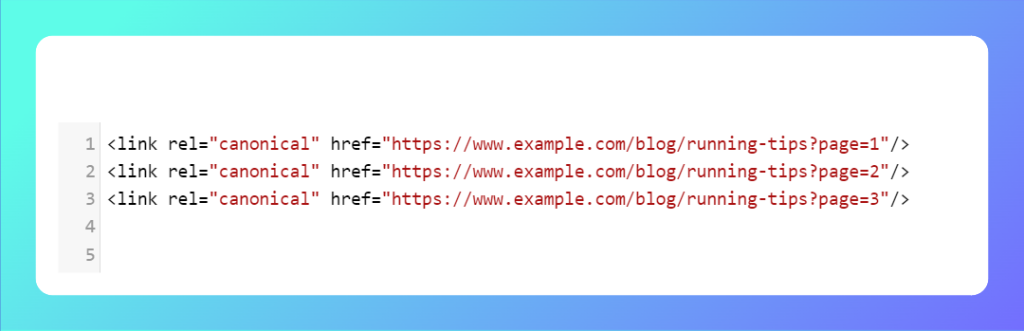
- https://www.example.com/blog/running-tips?page=1
- https://www.example.com/blog/running-tips?page=2
- https://www.example.com/blog/running-tips?page=3
You mistakenly set the canonical tag for each page to point back to the first page: < link rel=”canonical” href=”https://www.example.com/blog/running-tips?page=1″ / >
The result: search engines will index and rank only the first page of the article. The other pages (2, 3, etc.) might not be indexed or ranked, causing users to miss valuable content on those pages.
Correct approach –> Each paginated page should have its own self-canonical tag.
#4. Inconsistent canonical URLs (HTTP/HTTPS, www/non-www)
Inconsistent canonical URLs occur when different versions of the same page (e.g., HTTP vs. HTTPS or with/without www) point to conflicting URLs. Search engines see these as separate pages, which can lead to indexing both, causing duplicate content issues.
Why is it a problem?
Inconsistent URL structures confuse search engines and may cause different versions of the same content to compete against each other, diluting your SEO efforts. It can also result in search engines indexing less secure HTTP versions of your pages, which can negatively impact your ranking.
What is the solution?
Ensure all URLs are consistent in your canonical tags. For example, if your site is HTTPS, all canonical tags should point to the HTTPS version. Similarly, decide whether you prefer the www or non-www version of your site, and use canonical tags accordingly.
Practical example:
Your website is accessible through both:
- http://www.example.com/product
- https://www.example.com/product
But the canonical tag on the HTTPS version incorrectly points to the HTTP version: < link rel=”canonical” href=”http://www.example.com/product” / >
As a result, search engines may treat the HTTP version as the primary page despite HTTPS being more secure and preferred for ranking. This could hurt your SEO performance, especially with Google’s preference for secure sites.
Correct approach –> Ensure the canonical tag points to the correct HTTPS URL.
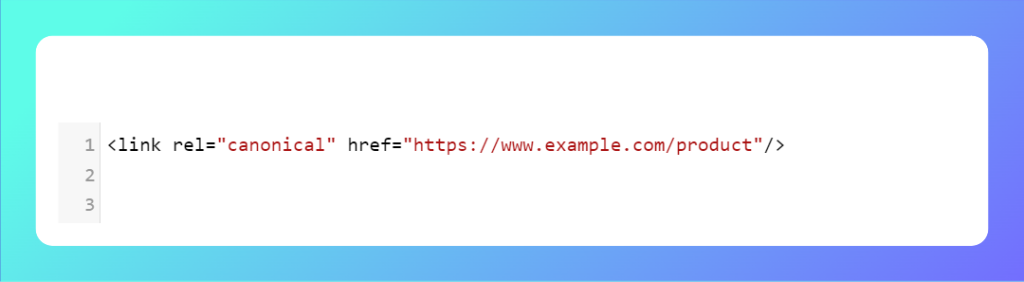
#5. Not using canonical tags when needed
Some site owners either forget or choose not to implement canonical tags at all. This oversight can lead to duplicate content issues, particularly for large eCommerce sites, blogs, or sites with lots of dynamic content. Without canonical tags, search engines might struggle to determine which page to index, potentially splitting the SEO value between duplicates.
Why is it a problem?
Without canonical tags, search engines might index multiple versions of the same content, which leads to “duplicate content” issues. This can result in lower rankings or, worse, pages not being indexed at all.
What is the solution?
Always implement canonical tags, especially if your site has multiple pages that could be considered duplicates (due to parameters, filters, etc.). Regularly review your site’s structure and adjust canonical tags as needed to reflect your content’s hierarchy and importance.
Practical examples:
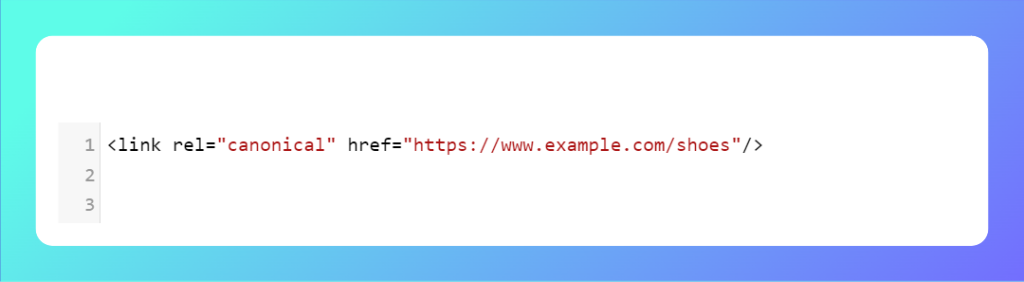
You run an online store where customers can filter products by size or color. These filters generate different URLs, such as:
- https://www.example.com/shoes?color=blue
- https://www.example.com/shoes?size=9
If you don’t use canonical tags, search engines could index both URLs (and other variations) separately, even though they display the same product. As a result, search engines see these different URLs as duplicate content, splitting SEO value between them. This can lead to lower rankings for the primary product page.
Correct approach –> Add a self-canonical tag to all filtered pages, pointing to the main product page.
#6. Ignoring canonical tag updates after a major site change
If you make significant changes to your site (like switching domain names, redesigning URLs, or moving to HTTPS) but don’t update the canonical tags, search engines might still prioritize the old URLs. This can lead to reduced SEO performance as they continue to crawl and index outdated pages.
Why is it a problem?
Outdated canonical tags will continue to point to old or incorrect URLs, making it harder for search engines to understand your site’s new structure. You’ll miss out on ranking for the correct pages, and the old pages might even return 404 errors, which hurts user experience and SEO.
What is the solution?
After any significant change to your website’s structure, conduct a full audit to update all canonical tags. If necessary, redirect old URLs to new ones and ensure the canonical tags on new pages point to the correct URLs.
Practical example:
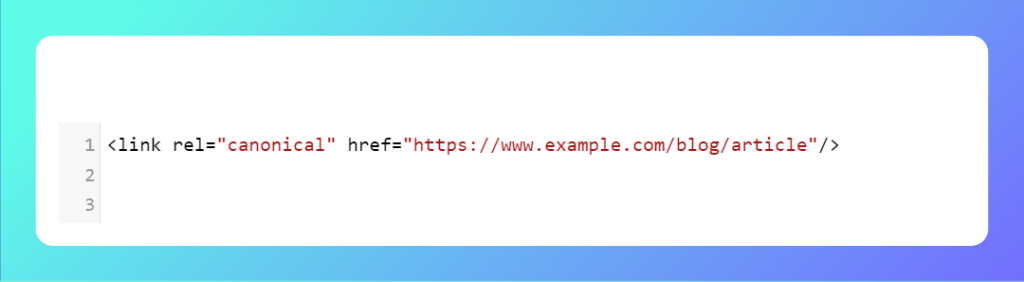
You redesign your website and move from HTTP to HTTPS. You forget to update the canonical tags, so they still point to the old HTTP URLs: < link rel=”canonical” href=”http://www.example.com/blog/article” / >
As a result, even though your site is now HTTPS, search engines may continue to prioritize the old HTTP pages, causing your secure pages to be ignored. This could lead to SEO losses and potential security warnings for users.
Correct approach –> After moving to HTTPS, update your canonical tags to point to the new secure URLs.
By avoiding these six common mistakes, you can ensure that your canonical tags are helping, not hurting, your SEO efforts. Proper implementation helps search engines understand which pages to index and rank, ultimately boosting your site’s overall visibility and performance.
In conclusion
Self-canonical tags are a powerful tool for managing duplicate content and improving your site’s SEO. By clearly indicating the preferred version of a page, you help search engines understand your content better. Remember to implement them thoughtfully and avoid common mistakes, such as overlooking specific pages or misconfiguring tags. With the right approach, you can enhance your site’s visibility and user experience.