When you’re tasked with improving a page—whether it’s a product page, service description, or technology overview—the hardest part is often knowing what your audience actually wants to see. Sure, you can tweak the design or rewrite the copy, but unless it speaks to your users’ real questions and needs, it won’t perform any better.
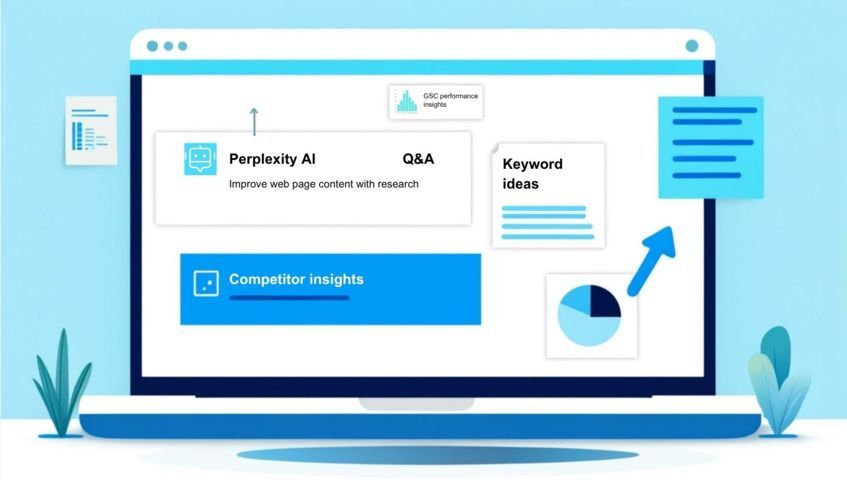
That’s where tools like Perplexity AI come in. By using it as a research assistant, you can dig into what your audience is searching for, what questions they’re asking, and what really matters to them when they land on your page. In this post, I’ll walk you through how I used Perplexity to guide a recent revamp of a software technology page—but the same process can be used for any kind of page where you want to improve clarity, engagement, and SEO performance.
Table of Contents
Why content updates matter—even if your page looks “fine”
It’s easy to overlook a page that technically checks all the boxes: a decent layout, some keywords in place, and no obvious errors. But if the copy isn’t speaking your audience’s language or answering their most pressing questions, it won’t do much, no matter how polished it looks.
Web pages (especially product, service, or tech pages) often start with good intentions, but over time, they become outdated, too generic, or disconnected from what users actually want. And if you’ve noticed things like high bounce rates, low engagement, or underwhelming rankings, the copy could be a big part of the problem.
👉 Here’s an example from my own experience: I worked on a few technology pages that ranked quite well for their target keywords. They were getting solid impressions and a steady stream of clicks. But once users landed on the page, they exited almost immediately. Average time on page? Around 10–15 seconds. The problem? There just wasn’t enough there to keep them interested. The copy was thin—barely 250 words in total—with no clear explanation of what the technology actually did, how it could help, or why the reader should care. Worse, there was no CTA or direction on what to do next. It left visitors hanging, and they bounced.
Updating your content isn’t just about refreshing a few sentences. It’s about making the page more relevant, useful, and aligned with your audience’s expectations. That’s what makes people stay, scroll, click, and eventually convert.
If you want better performance, you need better alignment. And that starts with research.
Start with Perplexity: researching your audience’s needs
Before jumping into rewrites, I like to start with one simple question:
What does my audience actually want to see on this page?
That’s where Perplexity comes in. Think of it as a research sidekick that helps you understand what your users care about, without spending hours digging through articles or guessing based on gut feeling.
What to ask Perplexity
I started by asking a few open-ended, natural language questions like:
- What do users ask you about [technology type]?
- What do decision-makers look for when evaluating [technology type]?
- What should a [technology type] page include to drive engagement and conversions?
- How to structure a product technology page to keep users engaged?
These kinds of prompts help Perplexity pull in a mix of perspectives—from marketing best practices to user behavior studies. The responses often include a blend of expert insights, bullet points, and source links (which you can open to dig deeper if needed).
Follow the rabbit hole
One of my favorite features in Perplexity is the Related section. After reading the initial answer, I scroll through the suggested follow-ups, often phrased as real user queries. For example:
- What makes a B2B landing page effective?
- How do I explain technical features to a non-technical audience?
- What key benefits do users want to see on a [technology type] page?
- Why do users bounce from technology pages?
- What keywords best capture the focus of [technology type]?
Clicking into those questions often opens up even more detailed insights—and sometimes leads to angles I hadn’t even considered. It’s like peeling back layers of your audience’s mindset.
Pro tip: create a running list
As I go, I copy the most useful findings into a doc or spreadsheet. I note down:
- Common questions or concerns
- Features or benefits users expect to see
- Any repeated words or phrases (these often become LSI keyword leads later)
You don’t need to go overboard—just enough to start noticing patterns. Once you do, it becomes much clearer what’s missing from your current page.
Look at what competitors are doing (and what your page might be missing)
Perplexity can give you audience and performance insights, but don’t stop there. It’s also worth looking at what your competitors are doing. Not to copy them, but to understand:
- What they’re including that your page doesn’t
- How they present information (layout, tone, CTAs)
- Which keywords or features they emphasize
- What formats or elements (e.g., comparison tables, testimonials, diagrams) they use to build trust
How I approach competitive content research
Start by Googling a few of your core target keywords and open the top-ranking pages. Then look for patterns:
- Do they have more detailed content or use cases?
- Are they structuring the page around user questions or benefits?
- Is the tone more conversational, formal, or benefit-driven?
- Are there any interactive or visual elements that make their message clearer?
Even a quick review of 2–3 pages can help you spot obvious content gaps. For example, I’ve worked on tech pages where the competition included quick specs, clear application examples, and a ‘what’s new’ section, while our page said almost nothing beyond the technology benefits. Small additions like these can make a huge difference in both user trust and search relevance.
Turn insights into SEO opportunities
Once you’ve gathered audience insights from Perplexity and taken a close look at what your competitors are doing well, you’ll likely have a list of common questions, must-have details, and recurring terms. This is where you switch gears from research mode to SEO mode—because those insights aren’t just useful for messaging, they’re also a goldmine for keyword opportunities.
Find LSI keywords (without overthinking it)
Let’s keep it simple: LSI (Latent Semantic Indexing) keywords are just related terms that help search engines understand the topic and context of your page. They’re not magic SEO dust—but they do help make your content more complete and relevant.
From your Perplexity and competitive research, you might notice certain phrases keep popping up—like real-time data visualization, integration with third-party tools, or compliance-ready features. These aren’t always your main keywords, but they’re great supporting terms to work into your copy naturally.
I usually scan through my findings and highlight:
- Feature or benefit phrases users mention
- Synonyms or variations of my core keyword
- Terms that reflect intent (e.g., “best tool for X” or “how to choose a…”)
Validate and prioritize with SEMrush
Next, I plug the most promising phrases into SEMrush to see:
- Search volume – Are people actually searching for this?
- Keyword difficulty (KD) – Can we realistically rank for it?
- Intent – Is this a research query, a transactional one, or something else?
- Topical authority – Does it align with what our website already ranks for?
From there, I build a short list of primary and secondary keywords to guide the development of the new page version.
Quick tip: If a term has no volume but keeps showing up in user questions, don’t ignore it. It might be valuable for engagement or UX, even if it’s not a traffic driver.
This step helps bridge the gap between what real users care about and what search engines understand. The result? A page that’s not just better written, but more findable.
Connect insights with actual performance: check GSC
Before locking in your new content plan, it’s worth checking what the page is already doing well—or not. That’s where Google Search Console (GSC) comes in.
Even a page that feels underwhelming can offer clues if it’s already ranking for some terms or getting impressions for queries you hadn’t even targeted.
What to look for
Head to your Performance report in GSC and filter by the specific URL. Then scan for:
- Which queries bring impressions or clicks
- The average position for those queries
- Click-through rate (CTR)
- Any surprising keyword themes you hadn’t considered before
This helps you understand what Google thinks the page is about right now—and whether that matches what users are actually finding useful.
Use it to guide your rewrite
Here’s how I use GSC data at this stage:
- If the page ranks just outside the top 10 for a relevant keyword, I’ll try to strengthen the content around that term.
- If a keyword has a lot of impressions but low CTR, maybe the title or meta description needs work, or the content doesn’t match search intent.
- If there’s a disconnect between keywords and the actual topic, it could mean the page is missing key context or isn’t answering the right questions.
In one case, I found that a tech page was getting impressions for very specific feature-related queries, but the page barely mentioned that feature. That became an easy win: we expanded the section, added details, and saw rankings and time on page improve soon after.
By combining GSC data with what you’ve found in Perplexity, your competitor research, and SEMrush, you’ll have a much clearer idea of where your content stands—and what it needs to do better.
Share findings with your writers (or yourself)
Now, it’s time to turn all that research into something actionable.
Whether you’re handing it off to a content writer or rewriting the page yourself, it helps to organize your findings into a clear, structured brief. That way, no one is guessing what the new copy should focus on—or why.
What to include in your brief
Here’s a simple format I like to use:
- Target keywords – Grouped by priority (main vs supporting)
- Search intent – What users want to achieve when they land on the page
- Audience insights – Key messages or pain points discovered via Perplexity
- Competitor content notes – What similar pages do better (and what to avoid)
- Content gaps – Specific things the current page is missing
- CTA recommendations – What action users should take next
You can also add a few examples of pages you liked during research to help guide the tone or structure.
Why this step matters
Writers (even experienced ones) often get stuck when they don’t know who the copy is for or what the goal is. A good brief keeps everyone aligned and saves time during revisions. It also gives you, the SEO or strategist, more control over how the page performs, not just how it sounds.
Bonus tip: If you’re rewriting the page yourself, treat this brief as your checklist. It keeps you focused and helps you justify your content choices with data, not just instinct.
Wrap-up: a smarter way to revamp your pages
Updating a page isn’t just about tweaking a few sentences or adding a buzzier headline. If you want real results—more engagement, more clicks, more conversions—you need to start with research that puts your audience first.
Using Perplexity helped me uncover what real users care about. Reviewing competitor pages revealed what ours was missing. Tools like SEMrush added keyword clarity, and GSC gave me hard data on what was already working (or not). Pulling all of that together gave me the confidence to build a stronger brief—and ultimately, a better-performing page.
And the best part? This process works for any kind of page, not just technology-focused ones.
So next time you’re staring at an underperforming product page, service overview, or even a landing page, try this approach. Let your research guide the copy, not the other way around.
💡 Curious to try it? Start with a simple Perplexity question: “What do people expect to see on a [type of page]?” You might be surprised where it leads you.