
Search Engine Optimization includes several techniques to boost a website’s visibility on search engines. A key aspect of on-page SEO is using heading tags effectively (H1 to H6). These tags help organize content so users and search engines can easily understand it. Here’s a detailed look at each type of heading.
Table of Contents
H1: Main heading
The H1 tag is the most important heading on a webpage. It serves as the title and should clearly and concisely summarize the page’s content. This tag is essential for both user experience and SEO.
Search engines rely on the H1 tag to understand the main topic of a page. It helps them assess how relevant the content is to a user’s search query. Including primary keywords in the H1 can improve the page’s visibility for those terms, signaling to search engines that the content is relevant. Additionally, a well-crafted H1 tag not only grabs users’ attention but also encourages them to keep reading. It sets clear expectations about the content and its value.
When considering technical aspects, ensure the H1 tag is correctly implemented in the HTML code. It should be wrapped in < h1 > tags, like this: < h1 > Comprehensive guide to SEO < / h1 >. Proper use of the H1 tag also improves web accessibility. Screen readers rely on heading tags to navigate content, so a well-defined H1 helps visually impaired users understand the page’s structure. While the H1 tag’s primary function is semantic, you can also style it using CSS to match the site’s design. However, avoid hiding the H1 tag from view, as this diminishes its value for both users and SEO.
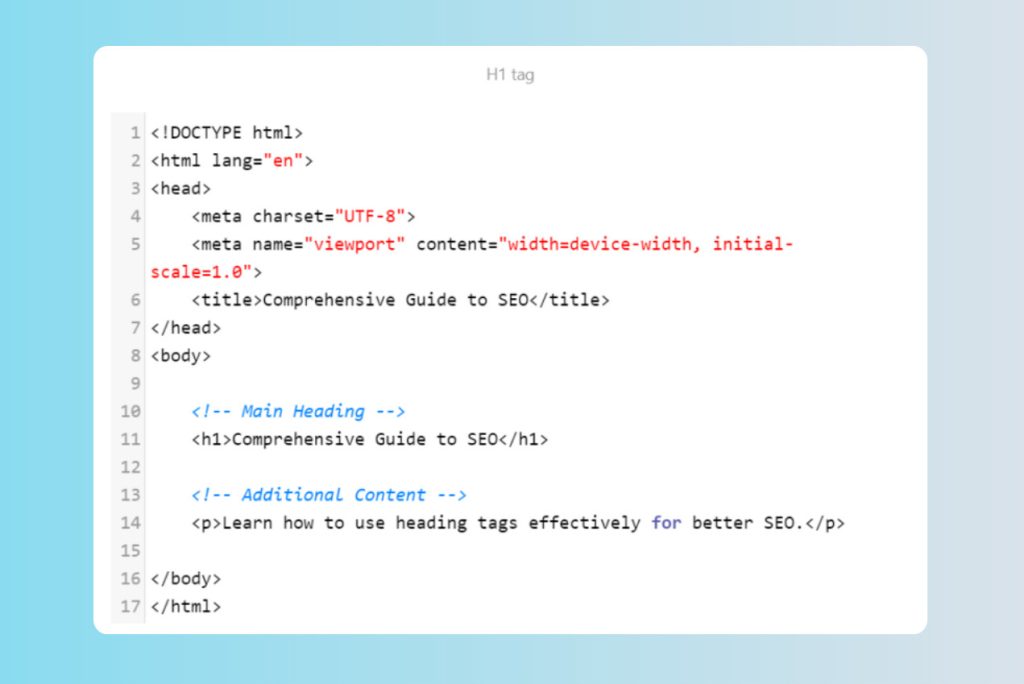
How to write engaging H1s
When crafting H1 tags, follow these tips:
- Each page should have a single H1 tag that is unique and accurately reflects its content. Avoid using the same H1 across multiple pages.
- Ensure the H1 tag is relevant to the page content and includes the primary keyword you want to rank for.
- Keep the length of the H1 tag between 20 and 70 characters. It should be long enough to describe the content but short enough to be easily scannable.
- Position the H1 tag at the beginning of the content, typically at the top of the page.
- Include primary keywords naturally without stuffing. For instance, if your keyword is “SEO tips,” a good H1 might be “Essential SEO tips for beginners.“
- Make sure the H1 clearly communicates the page’s main topic. Use descriptive language that captures interest and provides a snapshot of the content, like “Comprehensive guide to SEO” instead of just “Guide.”
H2: Subheadings
H2 tags denote major sections within a webpage’s content. They function as subheadings that break down the main topic, which is defined by the H1 tag, into smaller, more specific sections. This approach improves readability and enhances the page’s SEO by providing a clear structure.
H2 tags help organize content into logical sections. Search engines use H2 tags to grasp the content hierarchy, which can improve the page’s indexing. Additionally, incorporating secondary keywords into H2 tags can help the page rank for related search terms beyond the primary topic.
H2 tags should be correctly implemented in the HTML code, wrapped in < h2 > tags. For example, use < h2 > Importance of SEO in digital marketing < / h2 > or < h2 > On-page SEO techniques < / h2 >.
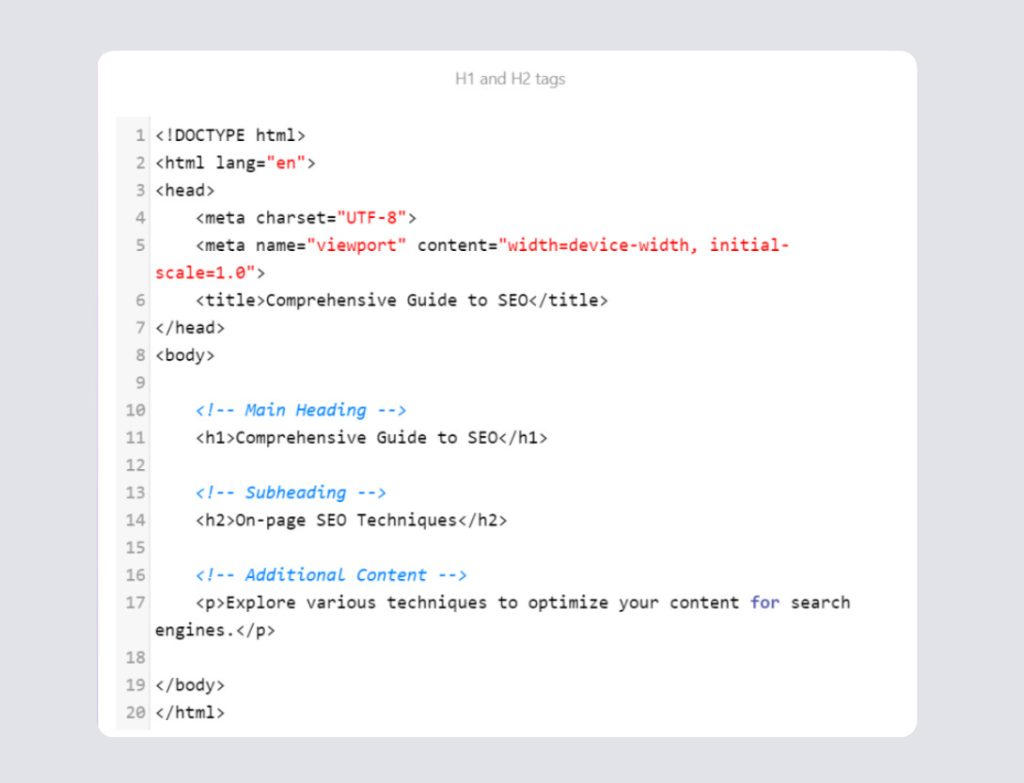
How to write strong H2s
When crafting H2 tags, keep these tips in mind:
- H2 tags should clearly reflect the content of their sections. They need to relate directly to the main topic and the content that follows.
- Incorporate relevant secondary keywords in H2 tags to boost SEO. Ensure these keywords fit naturally within the context of the subheading.
- Keep H2 tags clear and concise, ideally under 70 characters. They should be descriptive and give a snapshot of the section’s content. For example, instead of “Methods,” use “Effective methods for keyword research.“
- Arrange H2 tags in a logical sequence that follows the natural progression of the content. Each H2 should build on the previous one to maintain coherence.
- Choose engaging language that invites readers to explore the section. For instance, “How to optimize your content for SEO” is more compelling than “Content optimization.“
H3 to H6: Sub-subheadings
Each other heading type—H3, H4, H5, and H6—adds a layer of detail and depth, improving readability and search engine indexing. These heading tags are crucial for structuring content and supporting SEO by organizing information into manageable sections.
H3 tags, as sub-subheadings, break down sections introduced by H2 tags. They provide detailed segmentation, which helps users and search engines understand and navigate the content. Including long-tail and secondary keywords in H3 tags can enhance the page’s ranking for specific queries. H3 tags should be correctly implemented in HTML code, wrapped in < h3 > tags. For instance, use < h3 > Understanding search engine algorithms < / h3 >.
H4 tags further divide content introduced by H3 tags, managing complex details and adding more granularity. This additional structure improves readability and aids SEO by facilitating better indexing. Effective use of long-tail and secondary keywords in H4 tags also boosts keyword relevance. H4 tags should be wrapped in < h4 > tags. For example, you might use < h4 > Google’s ranking factors < / h4 >.
H5 tags continue this detailed breakdown, organizing highly specific information. They add another level of depth, supporting both user comprehension and search engine analysis. Including relevant keywords in H5 tags helps with indexing and ranking for particular search queries. H5 tags should be wrapped in < h5 > tags. For example, you might use < h5 > Core web vitals < / h5 >.
H6 tags provide the most granular level of detail, organizing the most nuanced information. They complete the content’s hierarchical structure. For SEO, H6 tags assist in creating a thorough content hierarchy, enhancing both user understanding and search engine indexing. Very specific long-tail keywords in H6 tags can improve rankings for niche searches. H6 tags should be wrapped in < h6 > tags. For example, use < h6 > Largest contentful paint (LCP) < / h6 >.
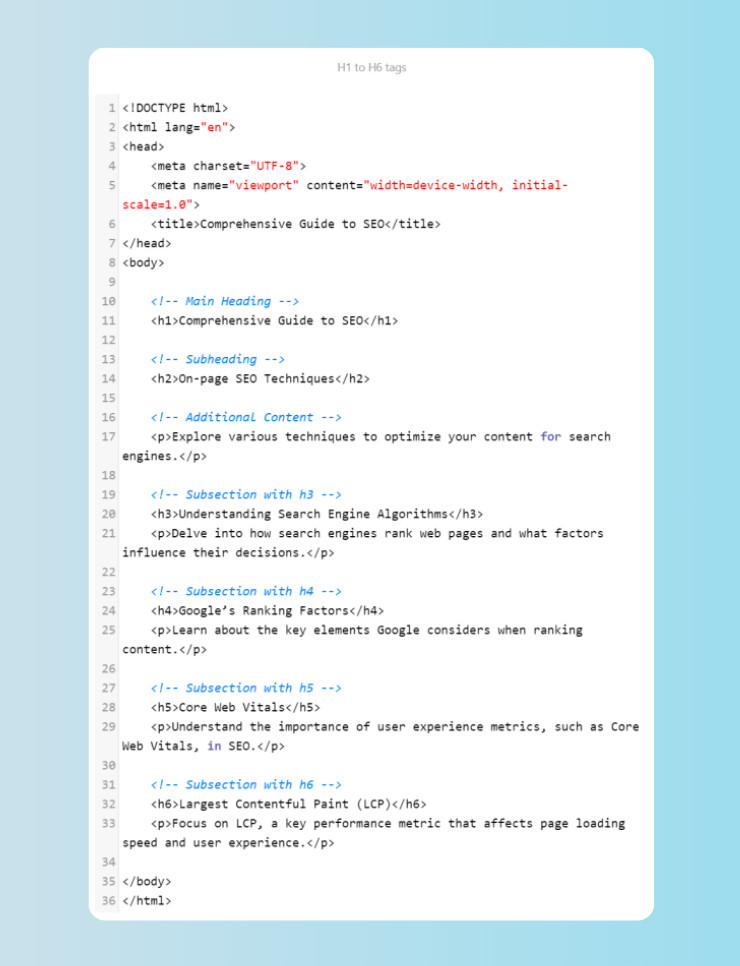
How to write effective H3 to H6 subheadings
When crafting heading tags (H3 to H6), follow these guidelines:
- Ensure each heading tag (H3, H4, H5, H6) clearly describes its respective sub-sections and maintains a logical relationship with the headings above it. Each level should progressively break down content into smaller, more specific details.
- To enhance SEO, incorporate relevant long-tail and secondary keywords within the headings. Ensure keywords fit contextually and avoid keyword stuffing.
- Keep headings clear and concise, ideally under 70 characters. They should accurately represent the information that follows.
- Use descriptive language to inform readers about the section’s content. For example, use “Health benefits of regular exercise” instead of “Benefits“.
- Arrange headings logically to follow the natural flow of content, with each level building on the previous one. Ensure that each heading level provides further detail on the topic introduced by the preceding level.
- Employ engaging language to encourage readers to explore the content further. For instance, use “Step-by-step guide to keyword research” instead of “Keyword research steps“.
- Consistent and logical use of headings enhances readability, supports SEO, and improves user experience by creating a clear and organized content structure.
Practical examples of H1 to H6 heading tags
Here are some examples of good H1 to H6 tags in different contexts:
Blog post:
- H1: “The ultimate guide to gardening”
- H2: “Choosing the right plants for your garden”
- H3: “Annuals vs. perennials”
- H4: “Benefits of annual plants”
- H5: “Flowering patterns of annual plants”
- H6: “Spring flowering”
- H6: “Summer flowering”
- H5: “Flowering patterns of annual plants”
- H4: “Benefits of annual plants”
- H3: “Annuals vs. perennials”
E-commerce:
- H1: “Spring Collection 2024”
- H2: “New arrivals”
- H3: “Men’s fashion”
- H4: “Trending men’s shoes”
- H5: “Casual shoes”
- H6: “Sneakers”
- H6: “Loafers”
- H5: “Casual shoes”
- H4: “Trending men’s shoes”
- H3: “Men’s fashion”
Service page:
- H1: “Professional home cleaning services”
- H2: “Commercial cleaning”
- H3: “Office cleaning”
- H4: “Daily office cleaning”
- H5: “Desk and workspace cleaning”
- H6: “Computer desks”
- H6: “Shared workspaces”
- H5: “Desk and workspace cleaning”
- H4: “Daily office cleaning”
- H3: “Office cleaning”
Best practices for using heading tags
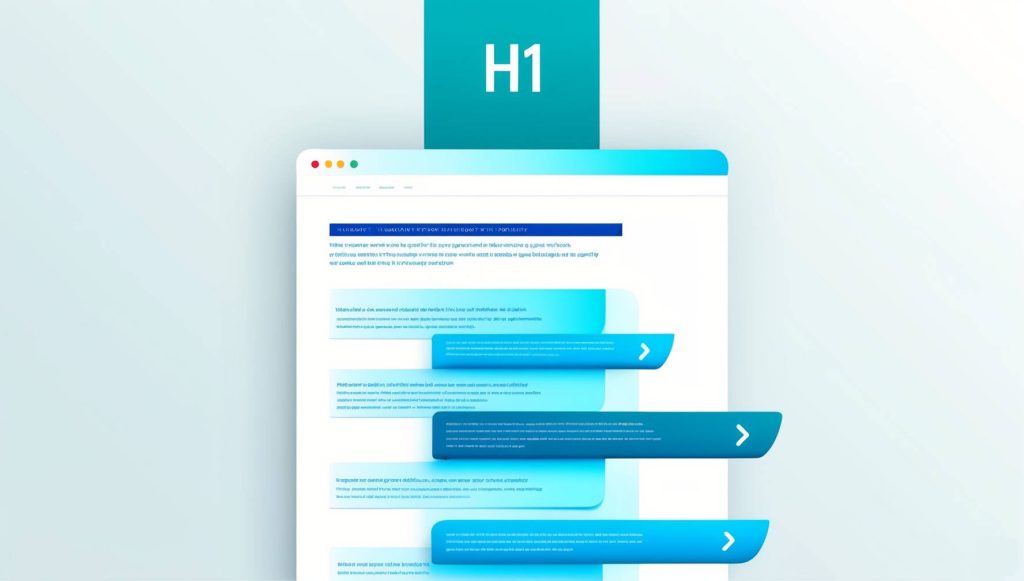
Creating a clear and logical heading structure is crucial for organizing your content effectively. Each heading level, from H1 to H6, should progressively break down the content into smaller, more specific sections. This hierarchical setup helps both readers and search engines navigate and understand the content easily. Start with one H1 tag for the main title, then use H2 tags for major sections. Follow with H3 tags for subsections, and continue down to H6 for the most detailed points.
For proper use of H1 tags, each page should feature only one H1 tag to represent its main topic. This tag is usually the page’s title and should be clear, descriptive, and include primary keywords. It sets the context for the entire page and should accurately reflect the content that follows.
When using H2 to H6 tags, they should create a logical hierarchy that organizes content effectively. H2 tags introduce major sections, with H3 tags for subsections, and so on, down to H6 for the finest details. Ensure the heading structure is logical and doesn’t skip levels, like jumping from H2 to H4.
Integrate relevant keywords naturally within heading tags to boost SEO. Place primary keywords in the H1 tag, while secondary and long-tail keywords should appear in the H2 to H6 tags. Avoid keyword stuffing; it can negatively affect readability and SEO.
Headings should be clear, concise, and descriptive, giving a quick understanding of each section’s content. They should make sense both individually and within the overall content structure. Don’t add unnecessary headings that don’t contribute value.
Lastly, consistency in formatting is important. To create a cohesive user experience, maintain a uniform style for heading tags across the website. Use CSS to style headings appropriately, ensuring they are visually distinct and match the site’s design.
In conclusion
Effectively structuring your content with heading tags is crucial for optimizing user experience and SEO. Adhering to best practices for H1 through H6 tags will help you produce content that is well-organized, easy to read, and favorable to search engines. This will ultimately cater to your audience’s needs and improve your search engine performance.
For more information on H1 tags, you may want to check Google’s SEO Starter guide.